
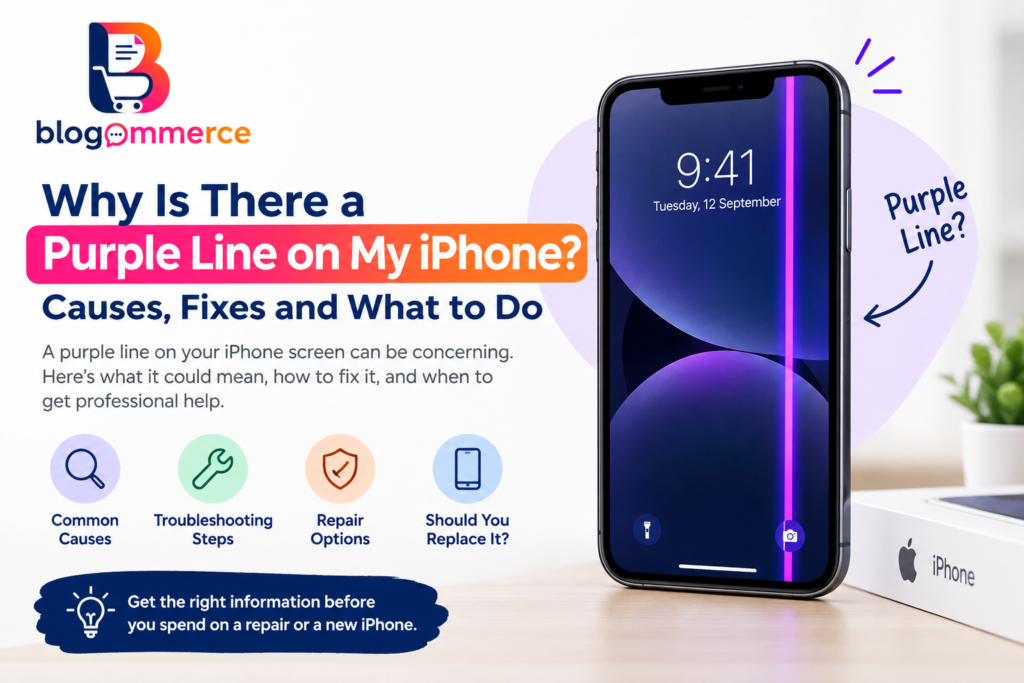
Have you noticed a purple line on your iPhone screen and wondered, “Why is there a purple line on my iPhone?” A vertical or horizontal purple line can be worrying, especially when it suddenly appears while using your device.
A purple line that remains visible across different apps and screens is generally a sign that something is affecting the display. In many cases, the problem can be related to the display hardware, physical impact, moisture, a loose internal connection, or—in less common situations—a software issue.
This guide explains the possible causes, troubleshooting steps, and when professional repair may be necessary.
What Does a Purple Line on an iPhone Mean?
A purple line is an unusual display artifact that can appear vertically or horizontally across the screen. If the line remains in exactly the same location regardless of the application you open, it may indicate a display-related problem.
Modern iPhone models use sophisticated display technology. Depending on the model, the screen may use an OLED or other display technology. Damage to the display assembly or its internal circuitry can result in persistent lines, unusual colors, flickering, or other visual abnormalities.
Apple recommends basic troubleshooting such as restarting the device and checking the screen for debris or moisture when the display isn’t functioning correctly. If the issue continues, service may be required.
Why Is There a Purple Line on My iPhone?
There isn’t one universal cause. Some of the most common possibilities include:
1. Physical Damage
One of the most common explanations is physical damage. Your Apple iPhone can develop internal display problems after being dropped, squeezed, bent, or subjected to an impact—even when the outer glass does not appear cracked.
The impact can affect components underneath the display and cause a persistent colored line.
2. Display or OLED Component Failure
On iPhones with OLED displays, damage to individual display components or their circuitry can produce colored lines.
If the purple line is always present, particularly when viewing different colors or applications, a display hardware problem becomes more likely than a temporary software glitch.
3. Moisture or Liquid Exposure
Liquid can affect electronic components inside an iPhone. Even if the phone appears to work normally after exposure to moisture, display problems may appear later.
If the purple line appeared after your iPhone was exposed to water or another liquid, professional inspection is advisable.
4. Loose or Damaged Display Connection
The display communicates with the phone’s internal electronics through connectors and flexible cables. An impact can potentially affect these connections.
A damaged or poorly connected display component can result in lines, flickering, touch problems, or unusual colors.
5. Software Glitch
Although persistent colored lines are more concerning for hardware, temporary software problems can sometimes create unexpected display behavior.
Before assuming that your iPhone product needs a screen replacement, restart it and make sure iOS is up to date. Apple also recommends updating an iPhone when troubleshooting certain issues because updates can include bug fixes and security improvements.
6. Previous Screen Replacement
If your iPhone has previously had its screen replaced, the replacement display may be relevant. Apple explains that nongenuine displays can cause compatibility, touch, brightness, and color-related issues.
On supported models, you can check Settings > General > About > Parts and Service History to see whether the display has been replaced.
How to Fix a Purple Line on an iPhone
Before paying for a repair, try these basic troubleshooting steps.
Restart Your iPhone
A simple restart can eliminate temporary software problems.
If the line disappears after restarting and does not return, the issue may have been temporary. If it remains, continue troubleshooting.
Update iOS
Go to:
Settings → General → Software Update
If an update is available, install it after ensuring your data is backed up and your iPhone has sufficient battery or is connected to power.
Remove Accessories and Check the Screen
Disconnect charging cables and other accessories and check whether the issue continues.
Apple also recommends ensuring that the screen is clean and free from water or debris. Removing a case or screen protector can also help determine whether something external is affecting the screen.
Check Whether the Line Appears Everywhere
Open different applications, the Settings menu, photos, and the lock screen.
If the purple line appears in the same location everywhere, this makes a display-related problem more likely.
You can also take a screenshot and view it on another device. If the line does not appear in the screenshot but remains visible on the physical display, that is useful evidence that the problem is with the display rather than the image being generated by the software.
When Should You Get Your iPhone Repaired?
If the purple line remains after restarting and updating iOS, professional inspection is recommended.
You should consider getting your Apple iPhone checked if:
- The line is permanently visible.
- The line is becoming thicker or spreading.
- Touch stops working near the affected area.
- The screen begins flickering.
- The phone was recently dropped.
- The phone was exposed to water or moisture.
- The display has previously been replaced.
- Additional colored lines or black spots appear.
Apple provides screen repair and replacement services through Apple and Apple Authorised Service Providers. The final repair cost depends on the model and the specific problem, and the device normally needs to be inspected for a personalized estimate.
Should You Replace the Screen or Buy a New iPhone?
The answer depends on the age and condition of your device.
If your iPhone is relatively new and otherwise works perfectly, repairing the display may make more financial sense than purchasing another phone. If the device is several years old, has a weak battery, or has other hardware problems, compare the repair cost with the iPhone price of a suitable replacement.
When comparing a repair with the latest iPhone, don’t look only at the purchase price. Consider battery health, storage capacity, camera features, software support, warranty coverage, and the expected lifespan of the device.
Does the Purple Line Mean Your iPhone Is Dying?
Not necessarily.
A purple line does not automatically mean that the entire phone is failing. In many cases, the problem may be limited to the display assembly.
However, a permanent line should not be ignored. A display issue can sometimes become worse, and continuing to use a damaged device may make it more difficult to determine the original cause.
Backing up your important photos, contacts, documents, and other data is a good precaution before taking the device for service.
How to Prevent Display Problems
While not every display problem can be prevented, some habits can reduce the risk of physical damage:
- Use a good-quality protective case.
- Use a suitable screen protector.
- Avoid exposing the iPhone to unnecessary moisture.
- Don’t place heavy objects on the phone.
- Avoid extreme physical pressure on the display.
- Use genuine or reputable replacement parts when repairs are necessary.
- Keep iOS updated.
- Have unusual display problems inspected instead of repeatedly pressing or bending the screen.
If you have purchased a used iPhone, check its repair history where available. Apple provides a Parts and Service History section on supported models, which can help identify previous display replacements.
What About the Latest iPhone Models?
Newer iPhone models continue to introduce improvements in displays, cameras, processors, battery efficiency, and software features. However, no smartphone display is completely immune to physical damage or component failure.
If you are researching the latest iPhone before upgrading, compare the features and official specifications rather than choosing a model solely because it is newer.
Likewise, searching an iPhone site for specifications, support information, repair options, and accessories can help you make a more informed decision.
Final Thoughts
So, why is there a purple line on my iPhone? The cause can range from a temporary software problem to display hardware damage, liquid exposure, an internal connection issue, or a previous screen replacement.
Start with simple steps such as restarting the phone, updating iOS, checking the screen, and disconnecting accessories. If the line remains visible, especially after physical or liquid damage, professional inspection is the safer option.
Before spending money on a replacement, compare the repair cost with the current iPhone price and the features offered by a newer model. And if you decide to purchase a new Apple iPhone, make sure you compare specifications, storage, warranty, and long-term value—not just the headline price.
Frequently Asked Questions
1. Can a purple line on an iPhone disappear by itself?
If the problem is caused by a temporary software issue, it may disappear after restarting or updating the phone. A persistent line, however, can indicate a display hardware problem.
2. Is a purple line on an iPhone always caused by a cracked screen?
No. The outer glass can remain intact even when internal display components are damaged.
3. Should I reset my iPhone to remove the purple line?
A reset is not usually the first step. Try restarting and updating iOS first. If the line remains, professional diagnosis is more appropriate.
4. Can an iPhone screen replacement fix the purple line?
If the line is caused by a damaged display assembly, replacing the display may resolve the problem. Apple recommends inspection to determine the appropriate repair.
5. Where can I get help with an iPhone display problem?
Apple provides support and repair options through Apple and Apple Authorised Service Providers.
MORE BLOG : https://blogommerce.com/best-earbuds-deals-india-2026/
FOLLOW US ON INSTAGRAM : BLOGOMMERCE