USB-C has become one of the most widely used connectivity standards in modern technology. In this USB-C Cable Guide, we explore how USB Type-C is increasingly replacing older ports across smartphones, tablets, laptops, monitors, gaming devices, and accessories. Its reversible design, fast charging capabilities, and support for data and video transfer make USB-C a convenient choice for everyday users.
However, not every USB-C accessory performs the same function. Depending on your device and requirements, you may need a USB C cable, USB C OTG cable, USB Type C OTG cable, or a USB C to HDMI cable. Understanding these accessories can help you choose the right connection for your devices.
What Is USB-C?
USB C, also known as USB Type-C, refers to a modern connector designed for convenient and versatile device connectivity. One of its biggest advantages is its reversible design, which means the connector can be plugged into a compatible port in either direction.
Depending on the device and cable specifications, USB-C can be used for charging, data transfer, connecting peripherals, and even transmitting video to an external display.
Why Is a USB C Cable Useful?
A USB C cable can be used with a wide range of modern electronics. It can connect smartphones to chargers, laptops to accessories, tablets to external devices, and compatible electronics to computers.
However, consumers should remember that USB-C cables are not necessarily identical. Different cables can support different charging capacities, data-transfer speeds, and video capabilities. Checking the specifications before buying is therefore important.
What Is a USB C OTG Cable?
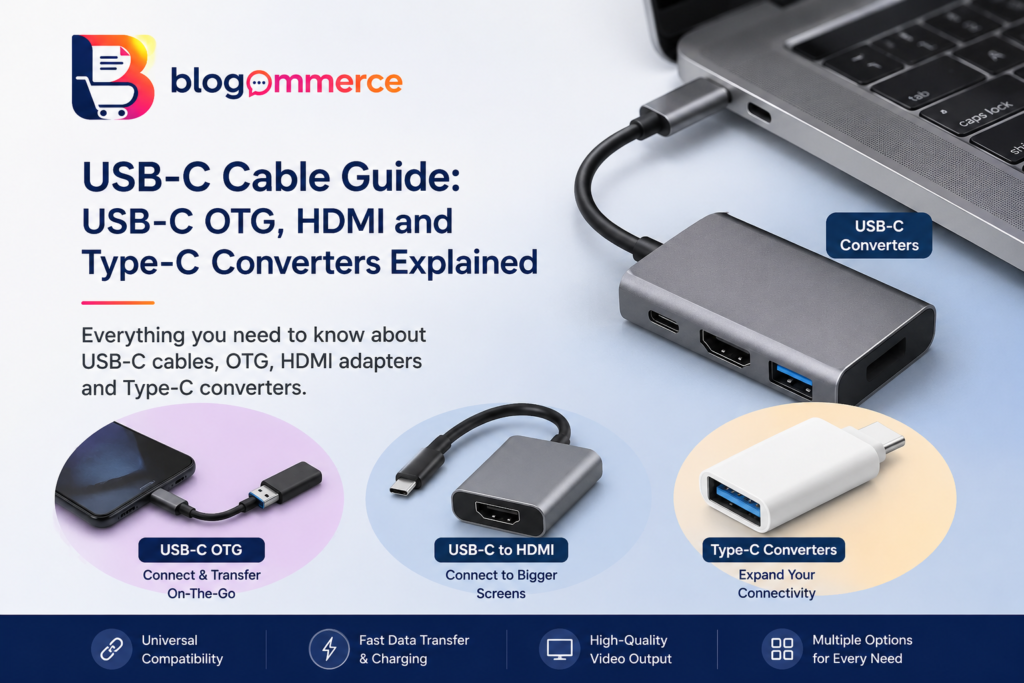
A USB C OTG cable allows a compatible smartphone or tablet to connect directly to USB peripherals. OTG, or On-The-Go, enables a mobile device to communicate with accessories such as USB flash drives, keyboards, mice, game controllers, and card readers.
For example, if you want to connect a USB storage drive to a smartphone that has a USB-C port, an appropriate OTG adapter or cable can make the connection possible.
A USB Type C OTG cable can therefore be particularly useful for people who regularly transfer files or connect external accessories to their mobile devices.
What Is a Type C to USB Converter?
Older USB accessories may still use traditional USB-A connectors, while many newer smartphones and laptops use USB-C. A type c to usb converter can bridge this difference and allow compatible USB-A accessories to connect to a USB-C device.
These small adapters can be useful when upgrading to a newer device without replacing all existing USB accessories. Before purchasing one, users should check whether it supports the required data-transfer or charging functions.
Connecting a USB-C Device to a Monitor (USB-C Cable Guide )
USB-C can also be used for video connectivity on compatible devices. A USB C to HDMI adapter or cable can connect a supported USB-C device to an HDMI-equipped monitor, television, or projector.
A USB C to HDMI cable can be useful for presentations, watching content on a larger screen, gaming, or creating a multi-display workstation. However, video output depends on the capabilities of the USB-C port and the connected device, so compatibility should always be checked.
USB-C Accessories for Everyday Technology ( USB-C Cable Guide )
The growing adoption of USB Type C has created an expanding ecosystem of accessories. Consumers can now find USB-C chargers, hubs, power banks, OTG adapters, HDMI adapters, docking stations, card readers, and multi-purpose cables.
For people who use several devices, USB-C can simplify connectivity by reducing the need for multiple types of connectors. A single compatible ecosystem can make charging, file transfers, and connecting external displays much more convenient.
How to Choose the Right USB-C Accessory
Before purchasing a USB-C accessory, consider the following:
- Device compatibility: Check whether your phone, tablet, laptop, or other device supports the required USB-C function.
- Charging requirements: Make sure the cable or adapter supports the required power level.
- Data-transfer speed: Check the supported USB standard if you regularly transfer large files.
- Video support: For external displays, confirm that the USB-C port supports video output.
- Build quality: Durable connectors and good-quality materials can improve long-term reliability.
Conclusion
USB-C is changing the way people connect and charge their electronic devices. Whether you need a USB C cable for everyday charging, a USB C OTG cable for connecting peripherals, a type c to usb converter for older accessories, or a USB C to HDMI cable for an external display, choosing the correct accessory is essential.
As more smartphones, laptops, tablets, and other electronics adopt USB Type C, understanding the different USB-C accessories can help users get better performance and greater convenience from their devices.
Read Our Previous Blog : https://blogommerce.com/best-mechanical-keyboard-under-2000/
Follow Us On Instagram : Blogommerce